An unattended engineering Shift
Wake up to pull requests.
Yellowhammer selects work from your specification each Night and runs your own coding agents on it.
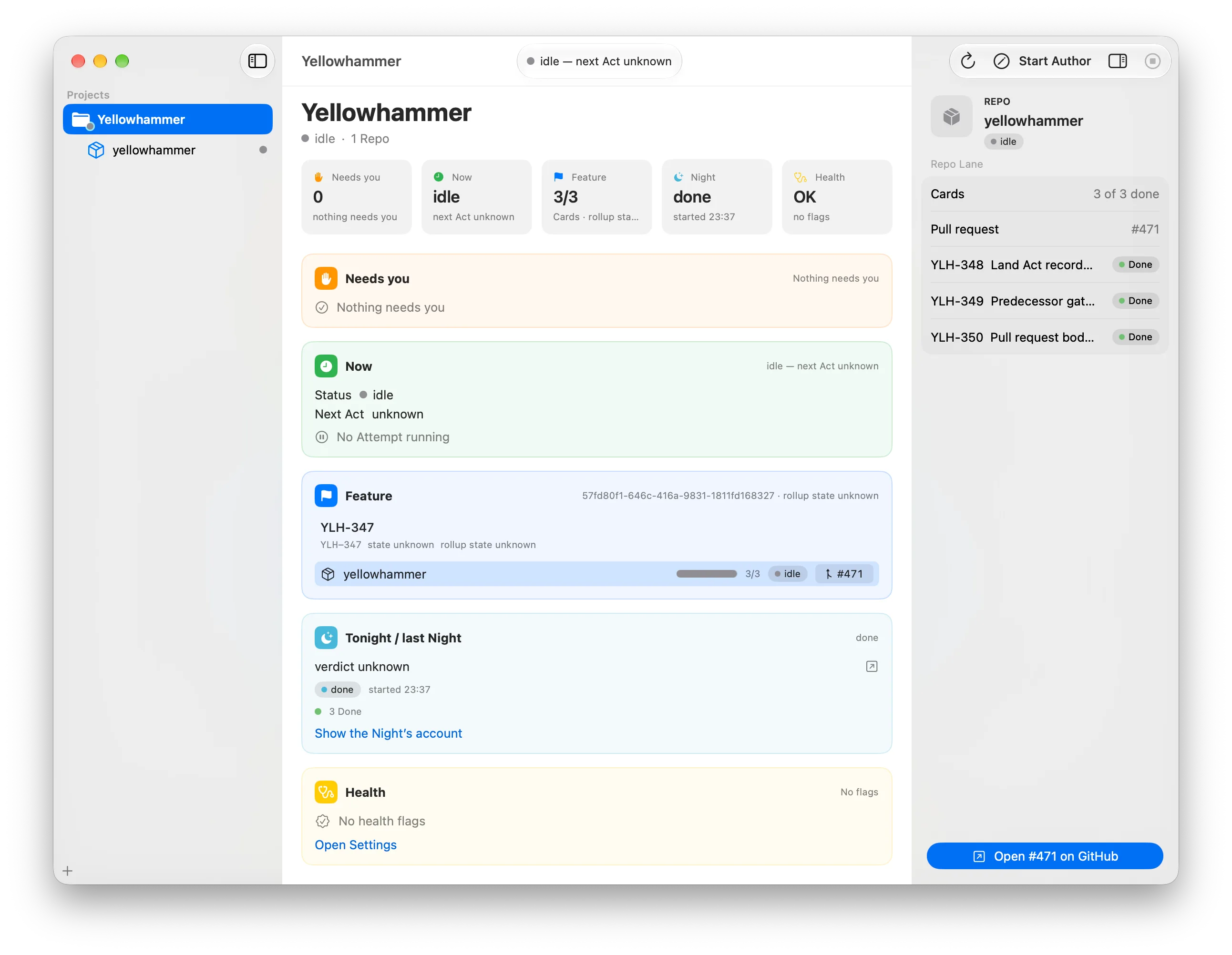
The app
What it never does
It never writes a line of code itself, and it never merges to main.
The agent CLIs write the code. Yellowhammer judges between them: it routes each Work Card, runs the checks, and verifies the result against your specification.
No code of its own
Your agent CLIs write every line. Yellowhammer composes their instructions and reads their results.
No merge to main
It hands off at the pull request, one per touched repository. The merge is yours.
No cloud execution
Your code, credentials and models stay on your Mac. The Night runs on your existing subscriptions.
What you need
It sits on top of the tools you already use
Yellowhammer replaces none of them. You need a Mac on macOS 26 that stays awake through the Night, the Orca ADE, a Linear workspace, GitHub, and at least one supported agent CLI.
Worktrees
Orca ADE
Creates, places and cleans up a Worktree for each Feature and repository. Yellowhammer only holds its id and path.
The board
Linear
Intent comes from your Linear board, and every report goes back to it. In v1, the person running setup must be a workspace admin.
Pull requests
GitHub
Receives each Feature Branch and one pull request per touched repository. Yellowhammer writes to it and never merges.
Agent CLIs
The coding agents you already use in the terminal. They write the code. Each Work Card runs on a route: which agent CLI, model and effort level runs a piece of work.
Claude Code
claudeProbed for unattended runs.
Codex
codexProbed for unattended runs.
Adding another agent CLI takes an adapter and a probe, not a configuration edit.
How it works
How a Night runs
A Night is one overnight run for one of your products, from the first step to the morning report. Yellowhammer selects work from your specification, runs your coding agents, and leaves an honest verdict on your board by morning.
select
It picks the work
Yellowhammer selects one Feature—the one feature from your specification that a Night works on, with only one in flight per product at a time—and works out which repositories it touches. It writes the Work Cards, a Linear issue Yellowhammer writes for one piece of the Feature in one repo, each with a Definition of Done: what 'finished' means for the Feature, written before any code exists, each line pointing to your spec. It does this even when the board is empty.
build
Your agents write the code
Each Work Card goes to an agent CLI and runs in an isolated Worktree. Each piece of work runs on a route: which agent CLI, model and effort level runs a piece of work. A retry always uses a route not yet tried on that Work Card. Retries are capped by limits you set: attempts per Work Card, review rounds and unanswered Nights. Runaways are stopped by integer counters, never spend claims.
land
One pull request per repository
Multi-repo work comes back as one pull request per touched repository instead of disconnected tickets. If work is missing, it opens as a Partial Landing: a pull request that opened with a named hole, saying which work did not happen and why in its first lines. Yellowhammer verifies the Feature clause by clause against its Definition of Done. The merge is yours—Yellowhammer never merges.
verdict
An honest morning verdict
Every Night gets one Night Card, the Linear issue that carries each Night's report—it exists every Night, even when nothing ran. A crashed Night, an empty Night and a productive Night each say what they were, so you never open a terminal to find out. Its Night Summary reports what landed, what is Blocked (stopped for tonight, with the reason written down), and what needs you. Any question goes to Waiting on You, a Linear state for 'this needs your answer' that you answer in Linear whenever you like.